
Why Your Business Network Is Slowing You Down and How to Fix It
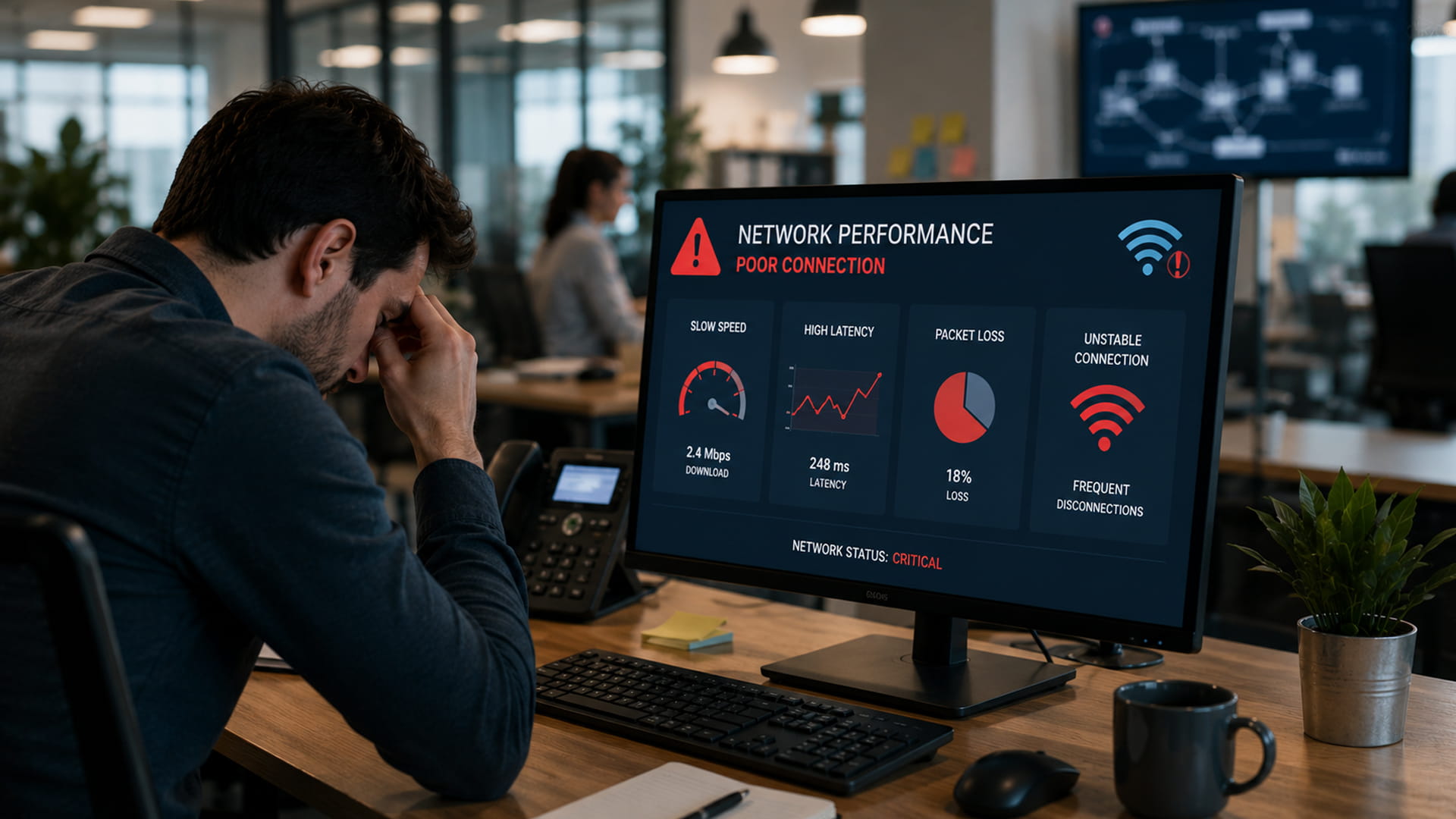
A reliable business network is essential for productivity, communication, and daily operations. When your network slows down, every part of your business can be affected.
Employees may experience slow applications, delayed file access, video call interruptions, and poor system performance. Over time, these issues reduce efficiency and create frustration across the organization.
Many businesses assume slow networks are caused by outdated equipment alone. However, network problems can come from several factors, including poor configuration, cybersecurity issues, bandwidth limitations, outdated infrastructure, and increasing technology demands.
In 2026, businesses need fast, secure, and scalable networks that support cloud applications, remote work, artificial intelligence tools, and growing data requirements.
Managed IT services help businesses identify network problems, optimize performance, and build a stronger technology foundation.
Quick Answer: Why Is Your Business Network Slow?
- Outdated hardware may not support modern business requirements.
- Poor network configuration can reduce speed and reliability.
- Too many connected devices can consume available bandwidth.
- Cybersecurity issues can impact network performance.
- Managed IT services help monitor, optimize, and improve network reliability.
What Is a Business Network?
A business network connects computers, devices, applications, servers, and systems so employees can communicate and access important resources.
A business network may include:
- Internet connections
- Routers and switches
- Wireless networks
- Servers
- Cloud applications
- Employee devices
- Security systems
A properly designed network allows employees to work efficiently while maintaining security and reliability.
However, as businesses grow, networks often become more complex and require professional management.
Why Business Networks Matter More in 2026
Modern businesses rely heavily on connected technology.
A slow network can impact:
- Employee productivity
- Customer service
- Business operations
- Collaboration
- Revenue opportunities
Several trends make network performance more important in 2026.
Increased Cloud Usage
Businesses rely on cloud applications for:
- File storage
- Communication
- Customer management
- Collaboration tools
Poor network performance can directly affect cloud application speed.
Remote and Hybrid Work
Employees need reliable access from different locations.
Network issues can impact:
- Video meetings
- Remote access
- File sharing
- Communication
More Connected Devices
Businesses use more devices than ever, including:
- Computers
- Mobile devices
- IoT devices
- Security systems
More devices require better network planning.
Common Reasons Your Business Network Is Slow
1. Outdated Network Equipment
Older routers, switches, and wireless systems may not support modern business demands.
Outdated equipment can cause:
- Slow connections
- Frequent interruptions
- Limited performance
Upgrading network infrastructure can improve speed and reliability.
2. Insufficient Bandwidth
Bandwidth determines how much data can move through your network at one time.
Businesses may experience slow performance when:
- Too many employees are online
- Large files are transferred
- Cloud applications are heavily used
Increasing bandwidth or optimizing usage can improve performance.
3. Poor Network Configuration
Even high-quality equipment can perform poorly if incorrectly configured.
Common configuration problems include:
- Incorrect settings
- Poor wireless placement
- Network congestion
- Security misconfigurations
Professional network management helps optimize performance.
4. Too Many Connected Devices
Every connected device consumes network resources.
As businesses add:
- More employees
- Smart devices
- Cloud applications
network demands increase.
Proper network planning ensures performance remains consistent.
5. Weak Wireless Coverage
Poor Wi-Fi coverage creates productivity issues.
Employees may experience:
- Dropped connections
- Slow loading times
- Unstable access
Wireless optimization improves coverage and reliability.
6. Security Issues Affecting Performance
Cybersecurity problems can sometimes impact network performance.
Examples include:
- Malware activity
- Unauthorized devices
- Suspicious network traffic
Network monitoring helps identify unusual activity.
7. Outdated Software and Firmware
Network devices require regular updates to maintain:
- Security
- Performance
- Compatibility
Ignoring updates can create vulnerabilities and slowdowns.
Signs Your Business Network Needs Attention
Slow Application Performance
If business applications take too long to load, network issues may be responsible.
Frequent Connection Problems
Repeated disconnects indicate possible infrastructure problems.
Poor Video Call Quality
Remote collaboration depends on stable connections.
Employee Complaints
Consistent reports of slow systems should not be ignored.
Delayed File Transfers
Slow file access can reduce productivity.
How to Improve Business Network Performance
1. Conduct a Network Assessment
The first step is identifying the cause of network problems.
A professional assessment reviews:
- Hardware performance
- Bandwidth usage
- Security settings
- Network configuration
2. Upgrade Outdated Infrastructure
Modern network equipment improves:
- Speed
- Reliability
- Security
3. Optimize Network Configuration
Proper configuration improves efficiency and reduces congestion.
4. Improve Wireless Coverage
Strategically placed access points create better connectivity.
5. Monitor Network Performance
Continuous monitoring helps identify problems before they affect employees.
Benefits of Professional Network Management
Improved Productivity
Employees spend less time waiting for slow systems.
Better Reliability
Proactive maintenance reduces unexpected network failures.
Stronger Security
Professional management helps protect network infrastructure.
Scalability
A properly designed network grows with your business.
Lower Long-Term Costs
Preventive maintenance reduces expensive emergency repairs.
How Managed IT Services Improve Business Networks
A managed IT services provider helps businesses maintain reliable network performance through proactive management.
Services may include:
- Network monitoring
- Performance optimization
- Security management
- Hardware management
- Troubleshooting
- Infrastructure planning
Instead of reacting to network failures, businesses receive ongoing support designed to prevent problems.
Risks of Ignoring Network Problems
Reduced Employee Productivity
Slow technology wastes valuable employee time.
Customer Experience Issues
Poor systems can affect customer communication and service.
Security Vulnerabilities
Outdated networks create opportunities for cyberattacks.
Higher Repair Costs
Small issues can become expensive problems when ignored.
Growth Limitations
Poor infrastructure can prevent businesses from scaling effectively.
How Business Network Optimization Works
Step 1: Network Assessment
An IT provider reviews your current network environment.
Step 2: Identify Performance Issues
Potential problems are analyzed, including:
- Speed limitations
- Security gaps
- Equipment issues
Step 3: Implement Improvements
Solutions may include:
- Hardware upgrades
- Configuration changes
- Security improvements
Step 4: Monitor Performance
Networks are continuously reviewed to maintain reliability.
Step 5: Improve as Business Needs Change
Technology requirements evolve, so networks must adapt.
How Hubbard Street Technologies Helps Improve Business Networks
Hubbard Street Technologies helps businesses create faster, more reliable, and secure network environments.
Through managed IT services, network monitoring, cybersecurity solutions, and technology guidance, businesses can improve performance while reducing disruptions.
A professionally managed network allows employees to work efficiently and gives businesses the foundation needed for growth.
Industries That Depend on Reliable Networks
Healthcare
Healthcare organizations need secure and reliable networks to access critical systems.
Legal
Law firms require dependable networks for confidential documents and communication.
Finance
Financial companies need secure infrastructure for sensitive transactions.
Manufacturing
Manufacturers depend on connected systems and operational technology.
Retail
Retail businesses require reliable networks for transactions and customer service.
SaaS Companies
Technology companies need scalable infrastructure to support users.
Frequently Asked Questions
Slow Wi-Fi can be caused by outdated equipment, poor coverage, interference, or too many connected devices.
Businesses can improve speed through network assessments, equipment upgrades, configuration improvements, and professional monitoring.
Yes. Managed network services help small businesses maintain reliable, secure, and scalable infrastructure.
Network updates depend on equipment age, performance requirements, and security needs.
Yes. Malware, unauthorized access, and security issues can impact network speed and reliability.
Conclusion: Build a Faster and More Reliable Business Network
A slow business network can reduce productivity, frustrate employees, and limit growth.
Modern businesses need reliable infrastructure that supports cloud applications, remote work, cybersecurity requirements, and future expansion.
Hubbard Street Technologies helps organizations improve network performance through proactive IT management, security solutions, and strategic technology planning.
Contact Hubbard Street Technologies today to identify network issues and create a faster, more reliable IT environment.

Recent Posts


How can we help?
Whether you need immediate help with an IT issue or want to discuss your long-term IT strategy, our team is here to help.
Call us at (312) 471-0665 or complete the form below and we'll help in any way we can.